The Payroll Challenge
Calculating salaries manually every month is error-prone and time-consuming. Tracking leaves, late arrivals, overtime, advances, and deductions across 50+ staff members is a spreadsheet nightmare.
How Automated Payroll Works
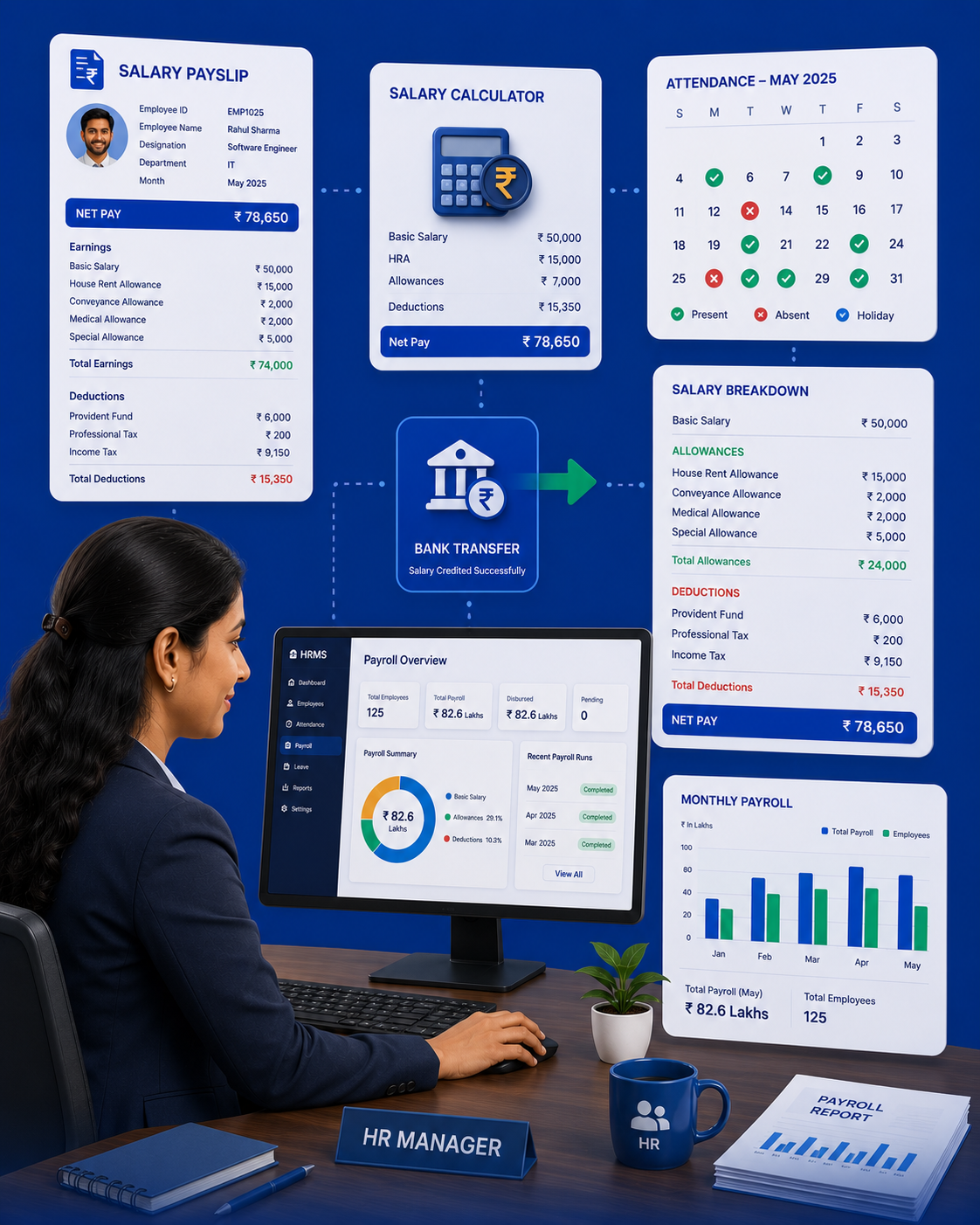
AttendanceGuru directly integrates attendance data with payroll:
- Attendance feeds in — days present, late, absent, overtime hours
- Salary calculated — base + allowances - deductions - leaves
- Payslip generated — digital payslip with full breakdown
- Distributed — sent to staff via app notification
Key Features
- Leave Management: Staff applies, admin approves, auto-deducted from salary
- Overtime Tracking: Extra hours auto-calculated from attendance
- Advance Management: Track salary advances and EMI deductions
- Custom Components: Add any allowance/deduction (HRA, TA, PF, ESI, etc.)
- Multi-Branch: Consolidated payroll across all locations
Who Uses This?
Schools, corporate offices, hospitals, gyms — any organization with staff attendance. Works for shift-based, fixed, and contract employees.